You finish a design, hit export, and a dropdown asks whether you want JPG, PNG or WebP. Most people pick whichever they used last time - and that's usually fine, until a logo shows up with an ugly white box behind it, or a website page crawls because one image is several megabytes. Knowing what each format is actually good at takes about five minutes and saves a lot of re-exporting.
JPG: Best for Photos and Quick Sharing
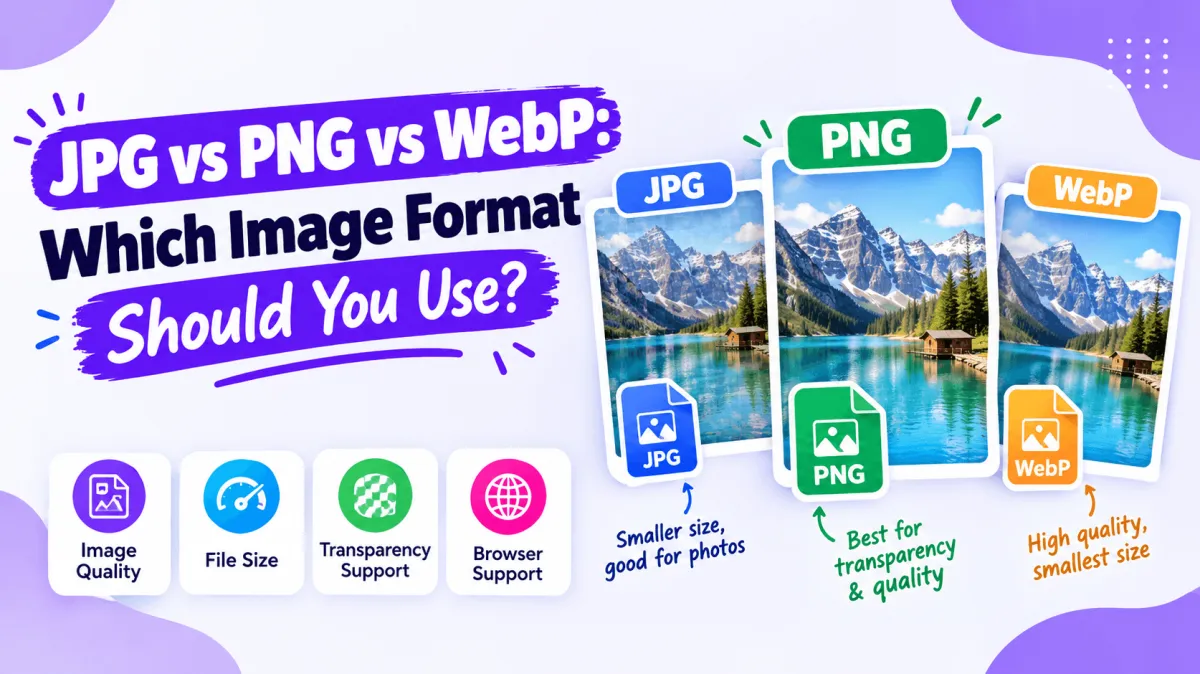
JPG (also written JPEG) is the format almost every device, app and platform accepts. It uses lossy compression, which means it throws away some visual detail to make the file small. For photographs - portraits, product shots, event pictures - that trade-off is rarely visible and the savings are large.
- Good for: photos, finished posters shared on WhatsApp or email, anything where universal compatibility matters
- Weak at: transparency (JPG has none), and sharp text or logos, which can pick up fuzzy edges if compressed too hard
- Watch out for: re-saving the same JPG repeatedly - quality drops a little each time
PNG: Best for Logos, Text and Transparency
PNG uses lossless compression, so edges stay crisp and colors stay exact. It also supports a transparent background, which is why logos, stickers and cut-out graphics are almost always exported this way.
- Good for: logos, icons, screenshots, graphics with text, anything layered over another background
- Weak at: file size - a full-size photo saved as PNG can be several times larger than the same photo as a JPG
- Watch out for: using PNG for large photographic images "for quality" - the difference is usually invisible but the file is far heavier
WebP: Best for Websites
WebP is a newer format designed for the web. It can handle both lossy and lossless compression and supports transparency, and at a similar visual quality its files are typically smaller than the equivalent JPG or PNG. That matters if you publish images on your own site, because lighter images load faster.
- Good for: website and blog images, product pages, anywhere page speed matters
- Weak at: compatibility with older software and some editing programs, which may not open WebP files at all
- Watch out for: sending a WebP to someone who then can't open or edit it - convert it to JPG or PNG first
Quick Comparison
| Format | Transparency | Typical file size | Best use |
|---|---|---|---|
| JPG | No | Small | Photos, sharing |
| PNG | Yes | Large | Logos, text, graphics |
| WebP | Yes | Smallest | Websites |
Which One Should You Pick?
- Is it going on a website you run? Use WebP, and keep a JPG or PNG copy of the original.
- Does it need a transparent background? Use PNG (or WebP if the destination supports it).
- Is it a photo or a finished poster for chat apps and email? Use JPG.
- Is it a logo or a graphic with fine text? Use PNG.
Converting Between Formats for Free
If you already have the file in the wrong format, you don't need to reopen a design program. Our free online image tools include converters for the three most common switches: JPG to PNG, PNG to WebP, and WebP to JPG. They run in your browser, so there's nothing to install and no account to create.
Keep one caveat in mind: converting a JPG to PNG won't restore detail that was already lost to compression, and it won't create a transparent background by itself. It just changes the container. If you need a cut-out with a transparent background, remove the background first, then save the result as PNG.
Format Is Only Half the Job: Size Matters Too
A correctly chosen format can still produce a heavy file if the dimensions are far larger than needed. If a 4000px-wide image is only ever displayed at 1200px, resize it first with the Resize Image tool, then compress and convert. For the wider workflow, our guide to prepping templates with free online image tools walks through the full sequence, and if you're sending files to a printer rather than a screen, read the complete guide to print-ready design files, since print has different format rules than web.
Frequently Asked Questions
Is WebP better than JPG?
For websites, usually yes - it typically gives a smaller file at similar quality. For sharing with other people, JPG is safer because virtually every app and device opens it.
Does converting JPG to PNG improve quality?
No. The conversion keeps the image as it is; it cannot bring back detail that JPG compression already removed.
Which format should I use for a logo?
PNG is the usual choice because it keeps edges sharp and supports a transparent background.
Why won't my WebP file open in my editing software?
Some older programs don't support WebP. Convert it to JPG or PNG with a free converter and it will open normally.
Do the converters need an account or add a watermark?
No - they work directly in your browser without signing up, and they don't add a watermark to your result.